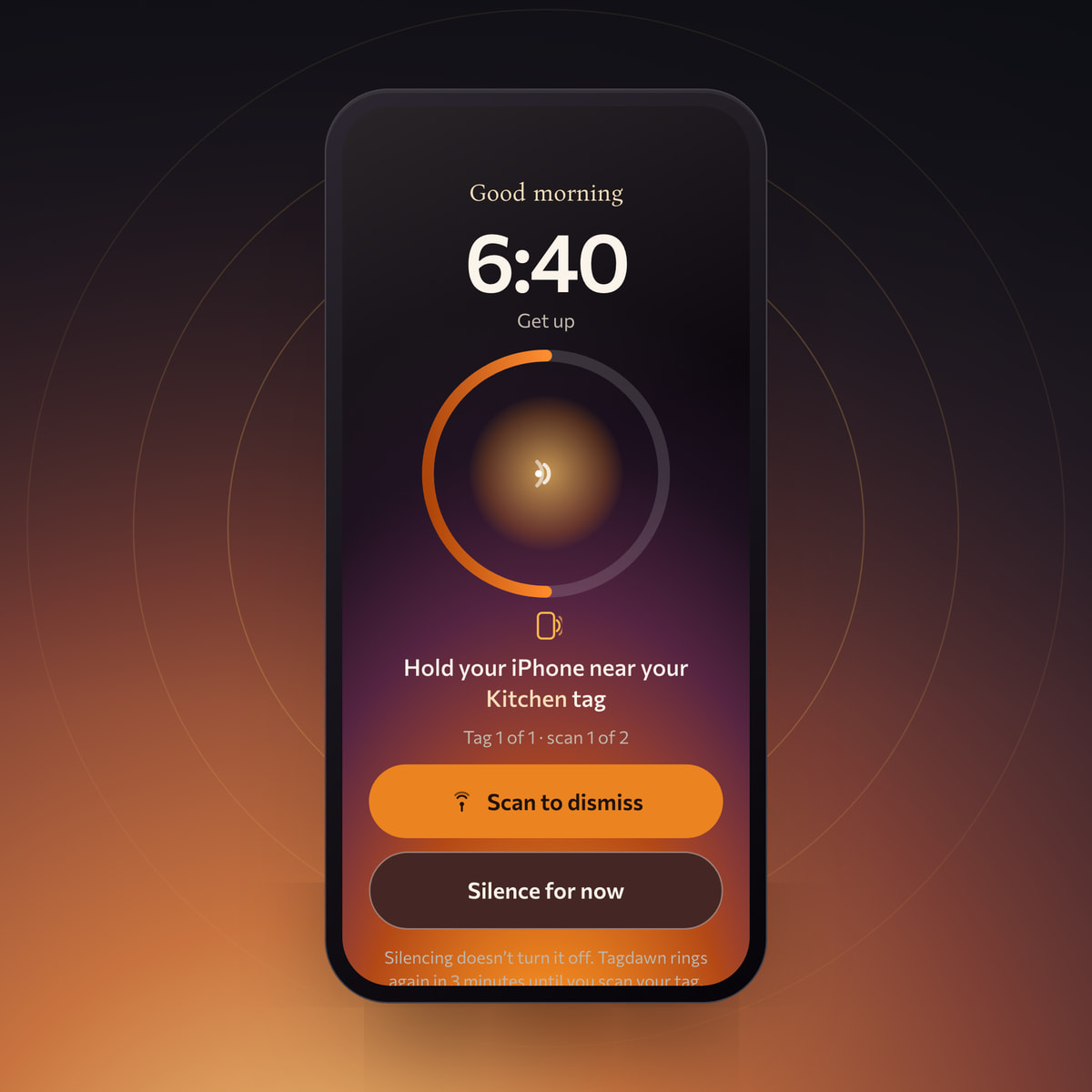
What AlarmKit does when an alarm fires
AlarmKit is Apple’s framework for timers and alarms in iOS and iPadOS 26. Apple says its scheduled alerts break through Silent mode and the current Focus. They can appear on system surfaces such as the Lock Screen, Dynamic Island, StandBy, and a paired Apple Watch.1
That statement is narrower than saying a third-party app is identical to the Clock app. Apple does not describe AlarmKit as the same foundation as Clock, and Tagdawn should not claim equivalent reliability in every condition.
| Question | Accurate answer |
|---|---|
| Silent mode | AlarmKit alerts break through Silent mode after authorization. |
| Focus | AlarmKit alerts break through the current Focus after authorization. |
| Permission | Each app needs alarm authorization, and the user can change it later. |
| Stop control | The system supplies Stop automatically. An app can attach an intent to that action. |
| Older iOS versions | AlarmKit requires iOS or iPadOS 26. |
| Powered-off phone | No claim is made that an alarm rings when the phone is off or has no battery. |
Why alarm permission is required
Alarm authorization is per app. Tagdawn requests it before scheduling an AlarmKit alarm. Apple says the request can happen when the first alarm is created or through the authorization API. If permission is denied, scheduling attempts fail. The user can later change the decision in Settings.12
Apps must also explain why they need alarm access through the AlarmKit usage-description key. Apple says a missing or empty description prevents scheduling. This keeps prominent alarm access explicit rather than hidden inside general notification permission.3
The system Stop control and Tagdawn re-arming
The current AlarmKit API supplies the Stop control automatically. An app can provide an App Intent that runs when Stop is selected, but it cannot remove the control. This is why Tagdawn describes its approach as soft enforcement rather than an unstoppable alarm.45
- PermissionYou grant Tagdawn alarm access for the app.
- SchedulingTagdawn schedules the alarm with AlarmKit.
- System alertAt the scheduled time, iOS presents the AlarmKit alert through Silent mode and the current Focus.
- Stop remains availableiOS shows its required Stop control. Stop ends the current alarm; Tagdawn does not hide or override it.
- Tagdawn respondsIf the tag is still required, Tagdawn requests a distinct fresh alarm after the saved duration. iOS controls the exact presentation time.
- Scan completes the ritualAfter you deliberately open the scan flow, scanning the paired NFC tag or configured backup QR code completes the Tagdawn flow.
What Silent mode and Focus support does not mean
- Tagdawn does not override iOS or remove system controls.
- No alarm can be described as unstoppable or guaranteed in every circumstance.
- Tagdawn does not work without AlarmKit permission or on iOS versions before 26.
- The site makes no claim about ringing while the phone is powered off, out of battery, rebooting, or in an untested device state.
- Ringing through Focus does not mean bypassing every volume setting, physical control, or user choice.
Test an alarm before you rely on it
- Confirm iOS 26AlarmKit is not available on older versions.
- Check alarm permissionOpen Settings if Tagdawn reports that authorization was denied or changed.
- Set a near-term testSchedule an alarm a few minutes ahead while you are awake and can observe the full flow.
- Test your real modesRepeat the test with Silent mode and your usual Focus enabled.
- Verify the NFC finishConfirm the paired tag scans from its final mounted location and that the ritual completes.
Platform details in this guide were checked against Apple documentation on 12 July 2026. Apple can change system behaviour and APIs, so current release notes and in-app testing remain authoritative for a specific build.
Sources
- Wake up to the AlarmKit APIApple Developer, WWDC25
- NSAlarmKitUsageDescriptionApple Developer Documentation
- AlarmPresentation.AlertApple Developer Documentation
- Alarm configuration with stop intentApple Developer Documentation